

Seamless Workday
Supplier Data Integration
Connect Graphite Connect's verified, validated supplier data with Workday Financial Management using REST/SOAP APIs, Workday Studio, or Enterprise Interface Builder.






.png)





A Clean Vendor Master in Workday
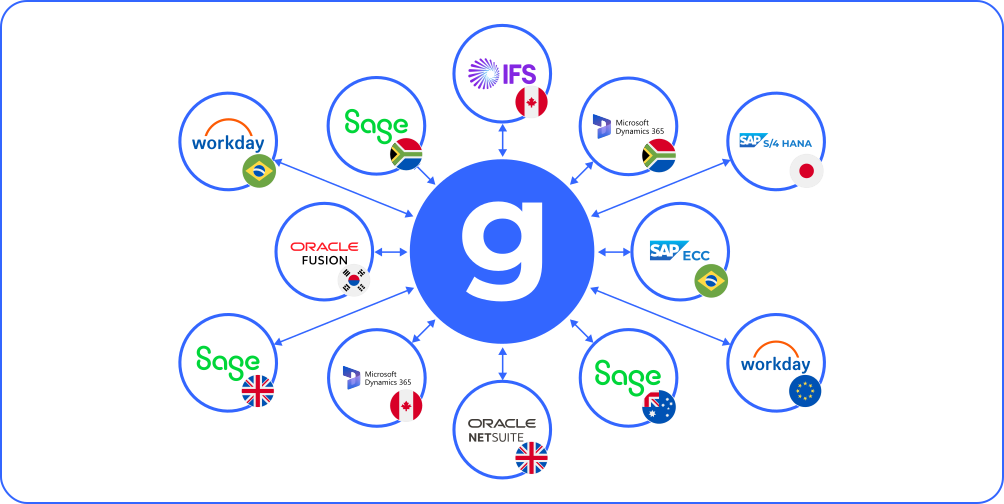
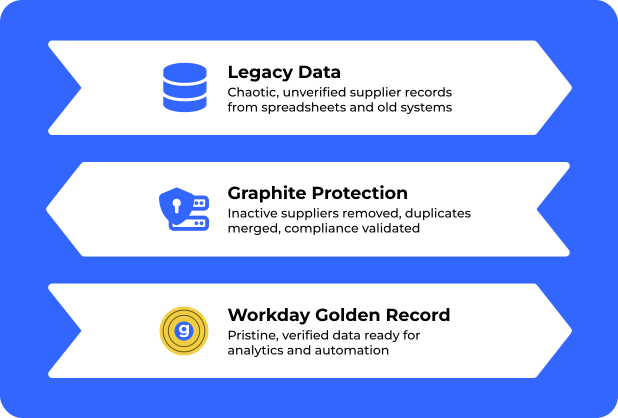
Workday users need supplier data they can trust. Graphite Connect integrates with Workday using multiple methods to ensure your supplier master data is always current, validated, and free from manual entry errors.
How the Workday Integration Works





01 - Connect: Configure the API-based integration between Graphite Connect and your Workday tenant.
Explore our Public APIs
Multiple Integration Methods

Rest/SOAP APIs
Primary integration method using Workday's native REST and SOAP APIs for real-time bidirectional data sync.
Studio
Primary integration method using Workday's native REST and SOAP APIs for real-time bidirectional data sync.

Primary integration method using Workday's native REST and SOAP APIs for real-time bidirectional data sync.

Key Workday Integration Capabilities
Real-Time Supplier Lifecycle Sync
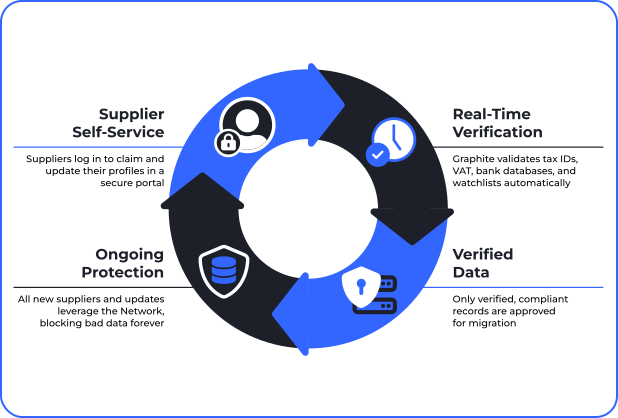
- New supplier creation in Workday from Graphite Connect onboarding
- Profile updates sync automatically in real time
- Batch processing available for high-volume transfers
- Deactivation/status changes reflected in both systems
Pre-Entry Validation
- Bank verification and fraud prevention
- Tax ID and sanctions screening (OFAC, EU, UN, HMT, DFAT)
- Identity verification via Jumio, Onfido, and Trulioo
- AI-powered document extraction
Implementation Timeline
ERP configuration takes as little as 4 weeks. Our experienced Integration Engineers handle the technical setup so your team can focus on business processes. Typical SAP integration timeline:



production sync
Frequently Asked Questions (FAQs)
Does Graphite Connect integrate with Workday?
Yes. Graphite Connect integrates with Workday Financial Management using Workday's native REST and SOAP APIs, Workday Studio, and Enterprise Interface Builder (EIB). This gives you flexible, automated supplier data synchronization between Graphite and your Workday tenant — no custom development or manual data entry required.
How does the Graphite Workday integration sync supplier data?
The Graphite Workday integration syncs supplier data in real time and bidirectionally. Graphite tracks suppliers primed for integration, sends validated profile data to Workday, and writes Workday's vendor IDs back to Graphite — so new suppliers, profile updates, and status changes stay in sync across both systems automatically.
What Workday integration methods does Graphite support?
Graphite supports three Workday integration methods: native REST and SOAP APIs for real-time bidirectional sync, Workday Studio for orchestrated workflows, and Enterprise Interface Builder (EIB) for batch and high-volume transfers. Your integration engineer recommends the right method based on your data volume and tenant configuration.
What supplier data does Graphite sync into Workday?
Graphite syncs validated supplier and vendor master data into Workday — including company details, contacts, banking, and tax information. Suppliers maintain their own profiles in Graphite, so verified data flows into your Workday vendor master without re-keying, keeping records current and free of manual-entry errors.
Does Graphite validate supplier data before it enters Workday?
Yes. Graphite validates every supplier before data reaches Workday — bank account verification and fraud prevention, tax ID checks, and sanctions screening against OFAC, EU, UN, HMT, and DFAT lists. Identity verification (via Jumio, Onfido, and Trulioo) and AI-powered document extraction ensure only clean, compliant records enter your tenant.
Is the Graphite Workday integration real-time or batch?
Both. Graphite syncs supplier creations and profile updates to Workday in real time, while batch processing is available for high-volume transfers via EIB. Supplier deactivations and status changes are reflected in both systems, so your Workday vendor master stays continuously accurate.
How long does it take to implement the Graphite Workday integration?
Workday ERP configuration takes as little as four weeks. Graphite's integration engineers handle the technical setup — discovery and field mapping (weeks 1–2), sandbox testing and validation (weeks 2–3), and production go-live (weeks 3–4) — so your procurement team can focus on process, not plumbing.
Does Graphite keep supplier data clean and prevent duplicates in Workday?
Yes. By validating key data points and letting suppliers maintain their own profiles, Graphite delivers a clean vendor master to Workday and erases duplicates across systems. Your finance and master-data teams save hours of cleanup, and your Workday supplier records stay accurate and audit-ready.
Can Graphite update or deactivate existing suppliers in Workday?
Yes. Because the integration is bidirectional, Graphite doesn't just create new suppliers — profile updates sync automatically, and deactivations or status changes are reflected in both Graphite and Workday. This keeps your supplier lifecycle consistent end to end without parallel manual updates in each system.